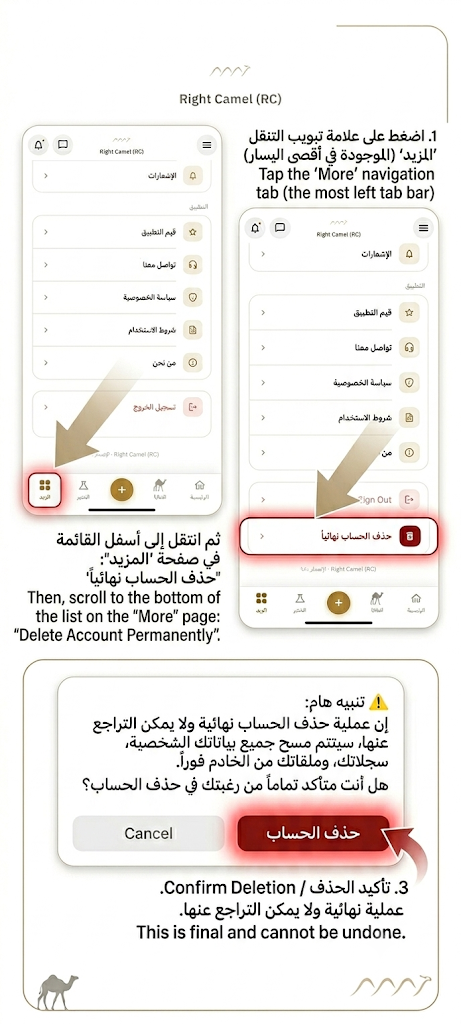
How to Delete Your Account
Guide on permanently removing your profile and associated data.
Step-by-Step Instructions
You can easily request and perform account deletion from within the mobile app. Follow these steps:
Open "More" Tab
Launch the Right Camel app on your device, log in, and tap the "More" (المزيد) icon on the bottom navigation bar.
Select "Delete Account"
Scroll down to the account actions section and tap on the red button labeled "Delete Account Permanently" (حذف الحساب نهائياً).
Confirm Deletion
A warning dialog will pop up stating that this action is irreversible. Tap "Delete Account" (حذف الحساب) to confirm.
⚠️ Important Note:
Once deletion is confirmed, all your personal information, records, veterinary files, and connection logs are immediately and permanently removed from our production servers and database. If you wish to use our services in the future, you will have to register a brand new account.